Visual Basic programs have been and continue to be as important as web applications. One of my VB.NET projects was a complete management system for a wholesale business store, inventory, payments, bills, clients, and providers, keeping all data and operations. Making calculs on the fly, alerting about the remaining items in stock, and generating PDF bills for clients with company info and logo and client info.
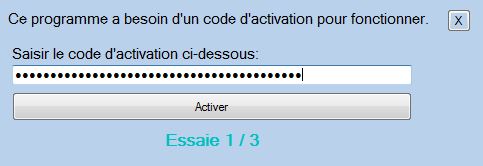
At the time of installing the application it asks for an activation code, before allowing correct inatallation. Only three attemps are allowed.
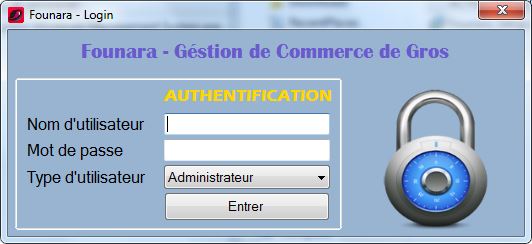
When launching the program after session close, the authentication window prompts. Two types of users can use the program, admins and storekeepers. Each has its own level of access rights. The user has to enter username and password to open the program.
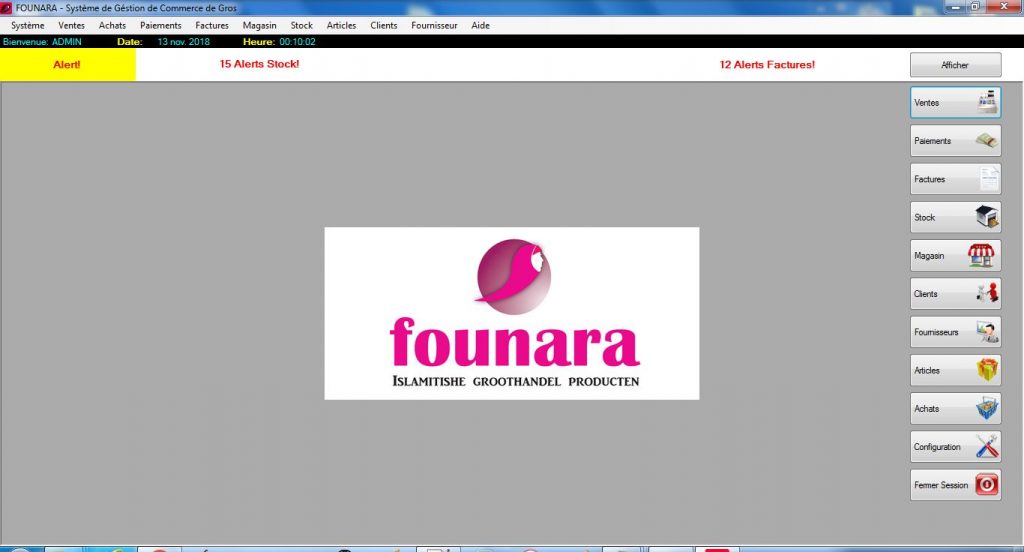
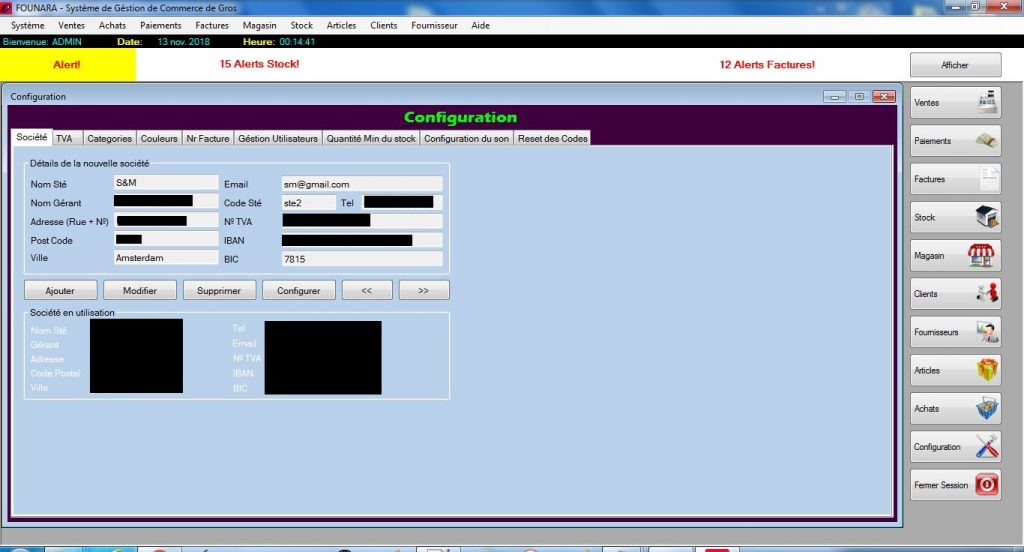
After login, the dashboard opens. There’s a menu on the right side that allows access to managing parts of the system. Clients, payments, items, bills, providers, orders, sales, and settings.
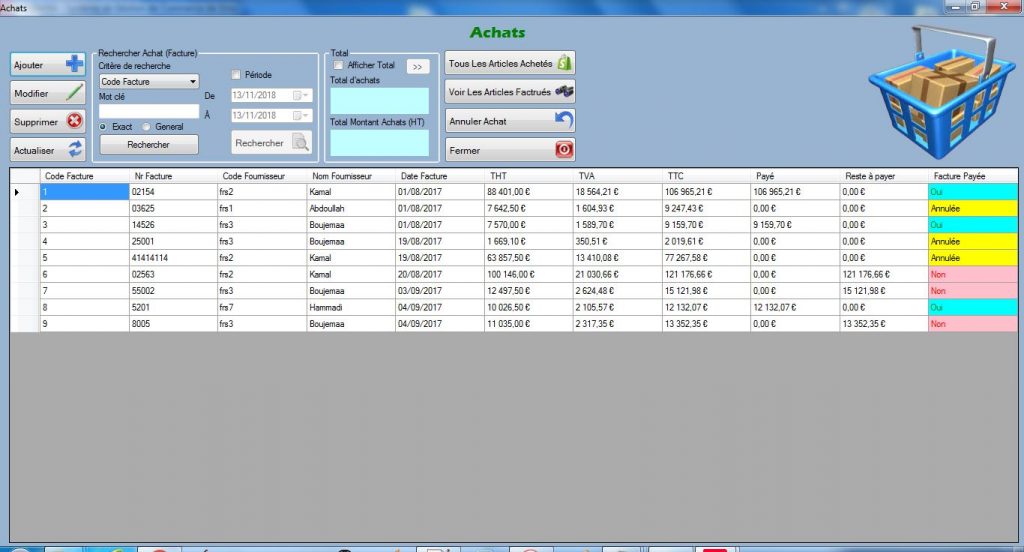
The order application allows inserting the purchased items for the store. Orders can be cancelled or deleted. The windows allows viewing the ordered items, the payments made, search orders, print bill, etc.
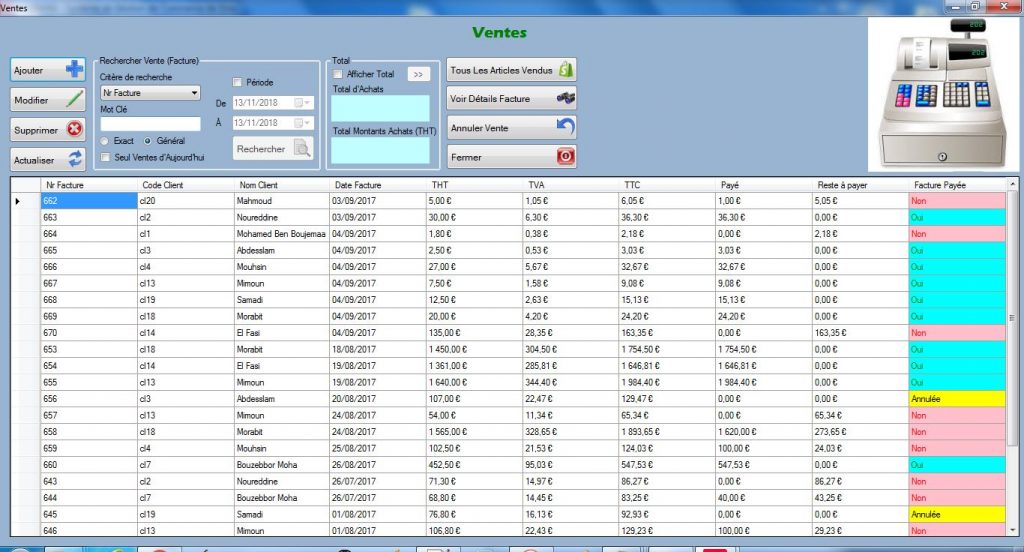
Sales application allows picking the items that the client wants to purchase and add them to basket, while making the calculs of the total amount and the corresponding VAT on the fly. Then make the payment, and generate the PDF bill. Also you can search for sales by bill Nr, date, client name, etc.
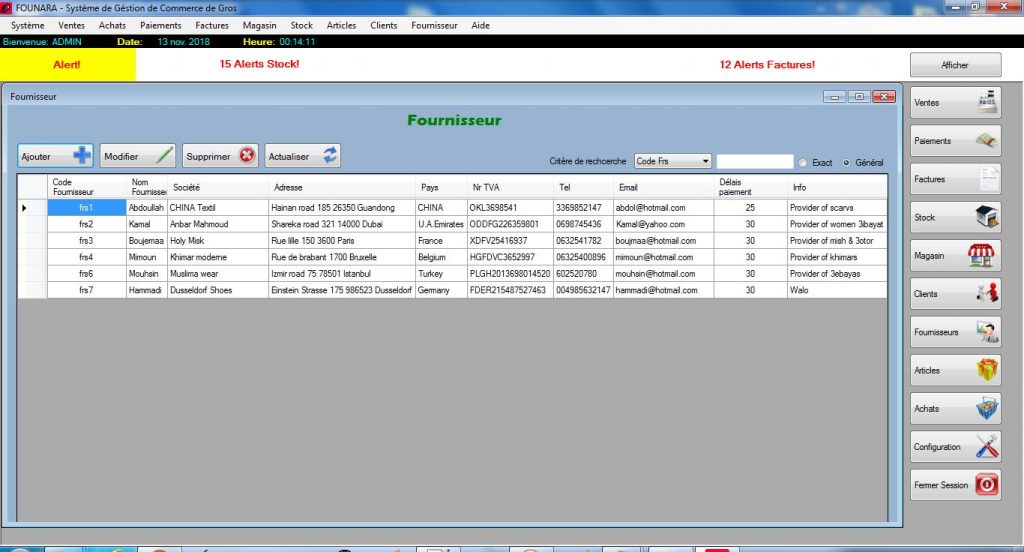
Provider application allows managing providers data, adding, modifying, deleting providers, or searching providers the store is doing business with.
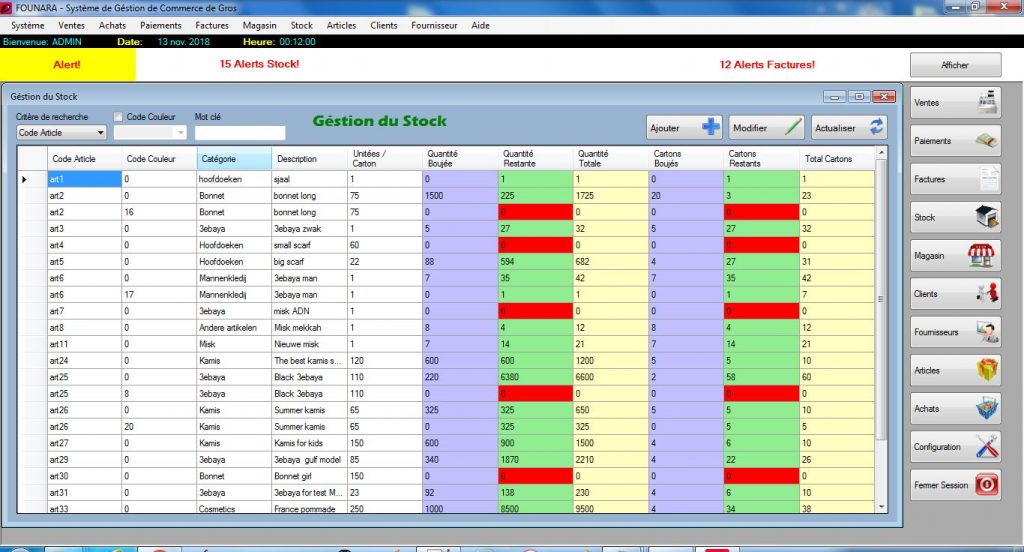
Stock management application allows a manual control and management of the items in stock. This is just used for correction purposes, but it is not the normal way of managing the stock. The stock is normally automatically updated after each sale or purchase of items.
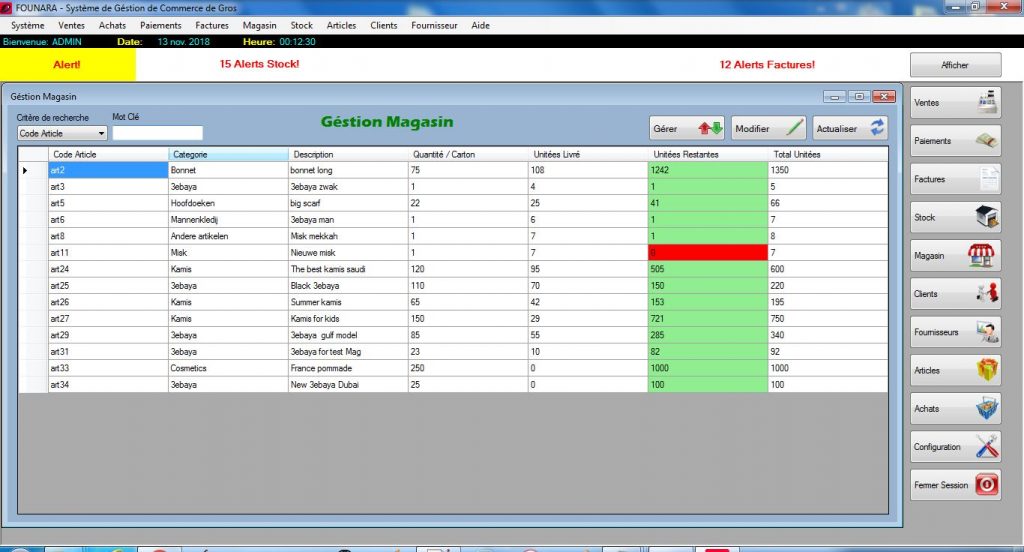
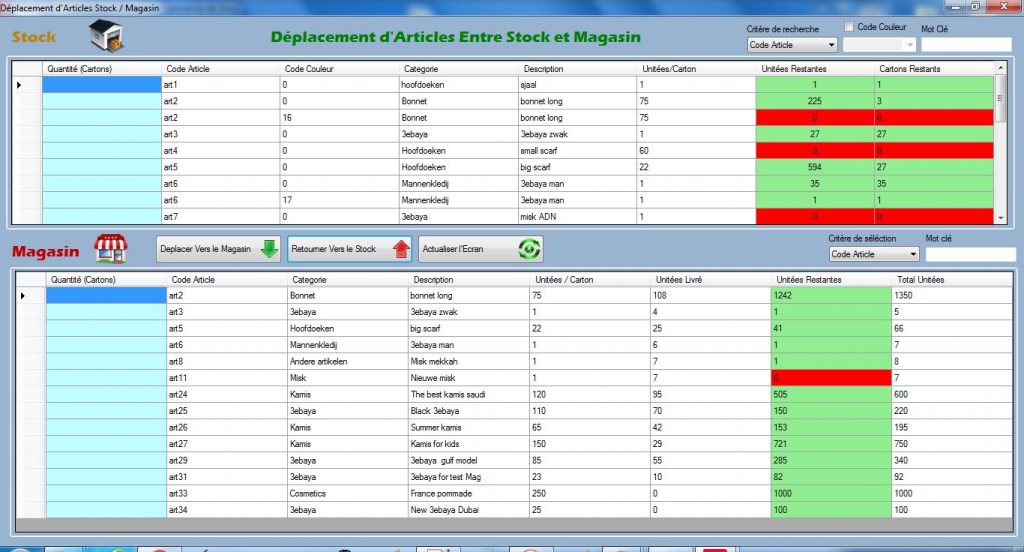
The store management application allows to view or modifying items of the store, or access the inventory management application, that allows moving items from the stock to the store back and forth. Next one.
Store management application, this allows moving items from the stock to the public store when needed. The interface shows in red items that are out of stock, ans in green those in stock.
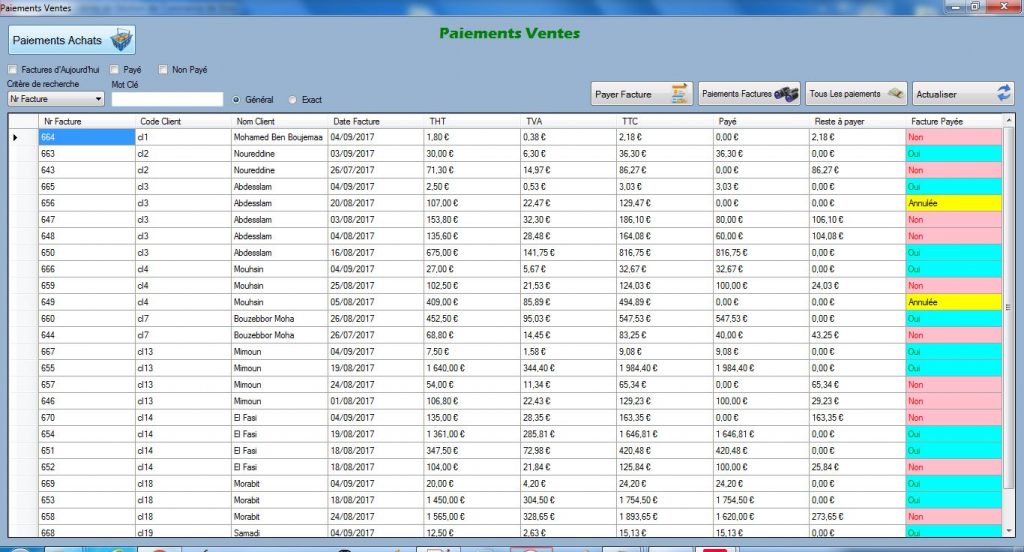
Sales payments application, allows managing payments. View, search, modify, add, remove, or print bills.
The settings windows allows to change many parameters and settings for the program. So you have full control over the functionning of the program
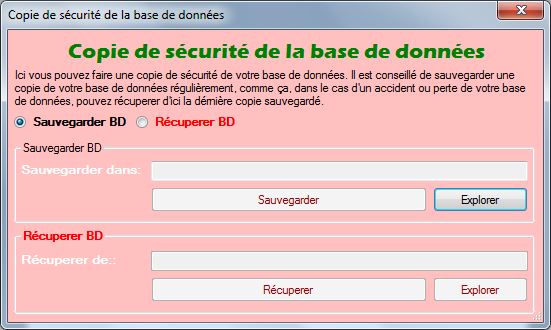
The data base backup window allows making a backup for your database, in case of accident the stored database can be restored easily, so you don’t loose all of your data.
A testing copy of this application is available for download FROM HERE (removed temporarily). I created this program in two languages, a French versión to keep for myself and a copy in Dutch language delivered to FOUNARA (a Wholesale company in the netherlands).
The zip file containing the application requiered installation files will ask for a password, and the app will also need an installation code. These two passwords can be requested to me by sending an email:
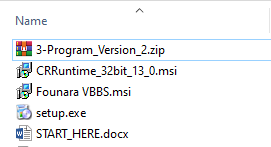
You can install the application and test its funcionality. At the begginning it might show some error messages because of the missing data, you first have to fill some essential data that is requiered for the application to work before it can start working correctly. Especially the company information, then add some items, providers, and customers.
If you have any comments or suggestions please don’t hesitate to send them to me using the contact form on this website. Thank you!